BM
Joining with a Reserved Slot
Step-by-step guide for donors
Tip: After you pledge and link your Steam ID, your reserved slot becomes active within 15 minutes.
-
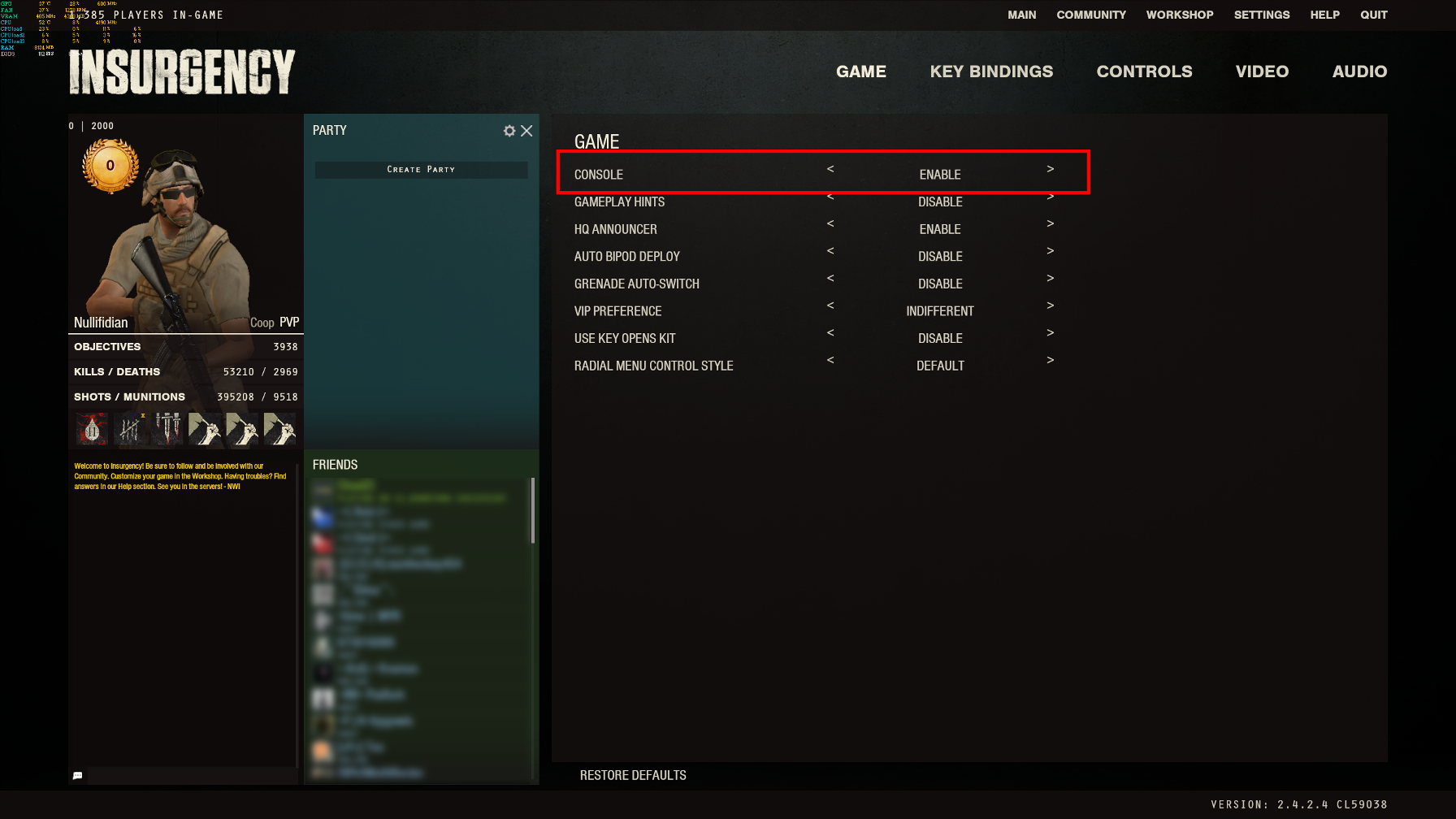
Enable the console in-game settings
-
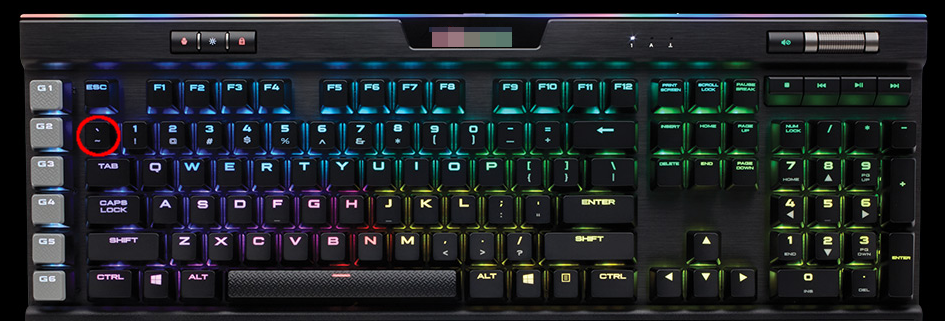
Open the console by pressing the tilde key (
~, under ESC).
-
Type the server address in the console and press Enter:
connect 109.230.215.32:27015 - Your reserved slot lets you join even if the server appears full.
Video example: Watch on YouTube
If the console doesn’t open: see this PCGamingWiki guide.